
Connecting the adapter kit step-by-step
Content of the adapter kit (MIC1500, 846212):
• USB cable: USB-A to USB-B
• Ethernet adapter: USB-B to standard RJ45 Ethernet cable
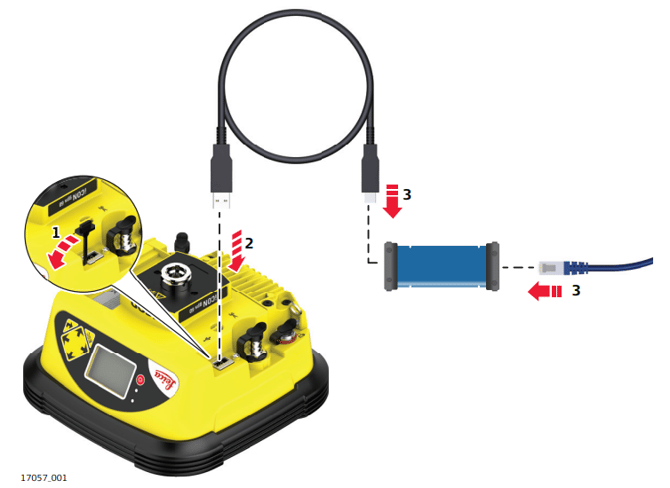
☞ Ensure that the instrument is placed on a stable surface.
- Detach the USB port cover of the antenna.
- Slide the USB-A plug of the USB cable into the USB host port.
- Connect the USB-B plug of the USB cable and the plug of the Ethernet cable to the adapter.
☞ When no USB plug is inserted, close the USB port cover.