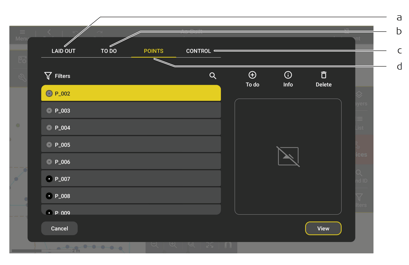
a) Laid Out Tab
b) TO-DO Tab
c) Points Tab
d) Control Tab
How To Access:
- Open the Layout mode.
- Tap on
 .
.
☞ TO-DO and LAID OUT tabs are only available in Layout mode.
☞ A photo is only available when it was captured during the measurement.

a) Laid Out Tab
b) TO-DO Tab
c) Points Tab
d) Control Tab
.☞ TO-DO and LAID OUT tabs are only available in Layout mode.
☞ A photo is only available when it was captured during the measurement.