
Insert and remove the battery step-by-step
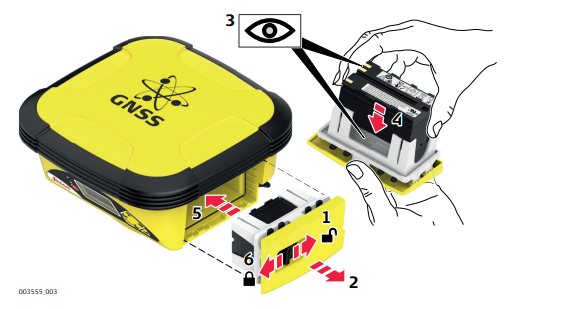 ☞ Ensure the instrument is placed on a stable surface.
- Push the slide fastener in the direction of the arrow with the openlock symbol.
- Pull out the battery holder.
- Orientate the battery to match with the pictogram on the base of the holder!
- Insert the battery into the holder. Check that the battery is locked in!
- Push the holder with battery into the battery compartment.
- Close the battery compartment by pushing the slide fastener in the direction of the arrow with the close-lock symbol.