Description: With a connection between the instrument and the Leica ConX web page, Leica ConX offers:
• View: Enables a remote user to access the instrument to view or control it.
• Sync: To exchange data between the instrument and a remote web page.
• Track: Enables a remote user to track the current position of the instrument.
• Remote firmware upgrade: Allows new instrument firmware files to be downloaded and installed remotely.
➜ To use this functionality an account is needed for the Leica ConX web page. The license is handled on the instrument. Ask your agency or your Leica Geosystems representative for information about licensing and how to get an account.
➜ An Internet connection on the instrument is needed, using a 4G modem. Refer to 3.3 Installing a SIM Card for information about SIM card installation.
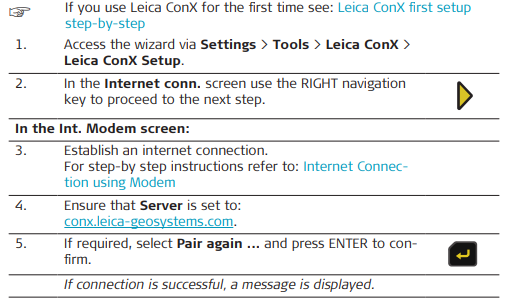
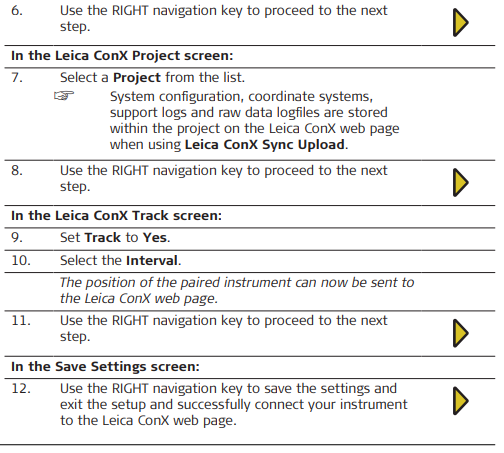
Leica ConX first setup step-by-step: In order to use Leica ConX for the first time:
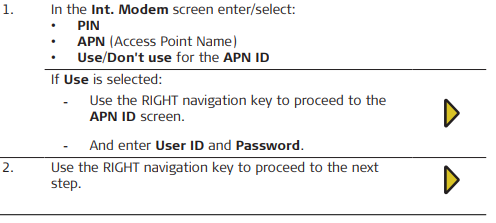
1. Establish an Internet connection on the instrument For step-by-step instructions refer to: Configuration of the Internet Connection
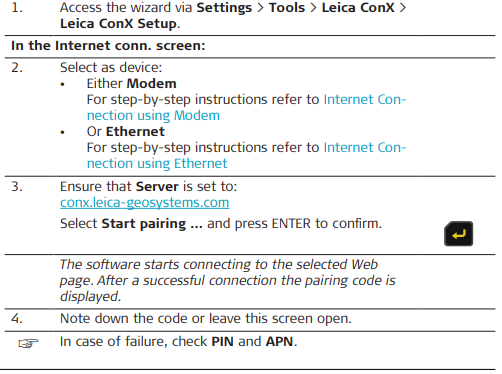
2. Pair the instrument to the Leica ConX web page For step-by-step instructions refer to: Pairing of the instrument with Leica ConX Web Unit
Configuration of the Internet Connection
➜ Refer to 3.3 Installing a SIM Card for information about SIM card installation.
Internet Connection using Modem
 Internet Connection using Ethernet
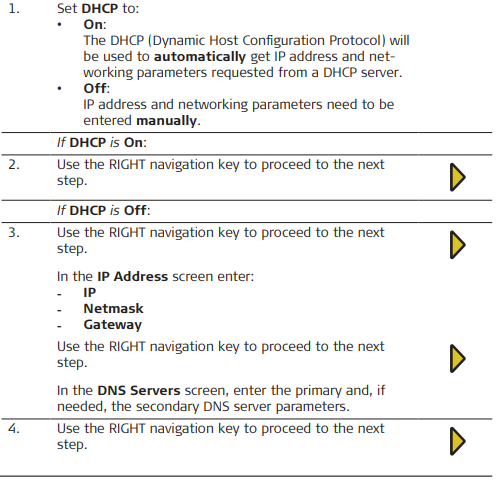
Pairing of the instrument with Leica ConX Web Unit
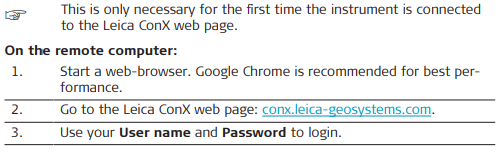
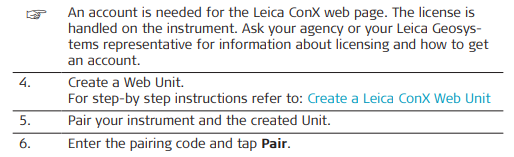
On the instrument: The screen with the pairing code should have been replaced by a confirmation that the instrument is paired with the server. The device is now paired/registered on
the web page, and ready to connect.
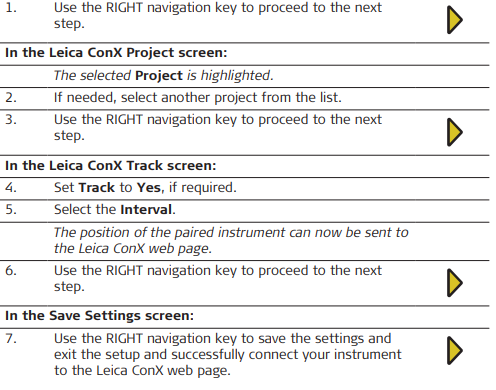
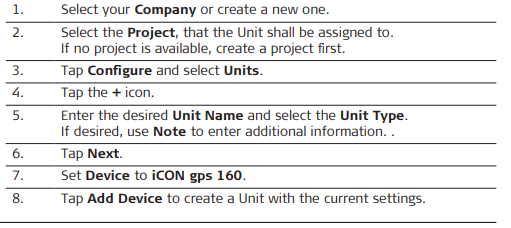
Create a Leica ConX Web Unit
Leica ConX Status: Use Settings > Tools > Leica ConX > Leica ConX Status to:
• enable or disable the Share screen function so that the user can view the instrument’s screen from remote
• view the status of Leica ConX and its functions:
- View
- Track
- Sync
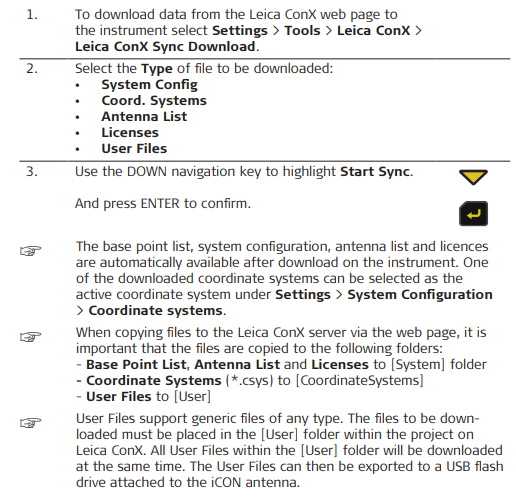
Leica ConX Sync Download
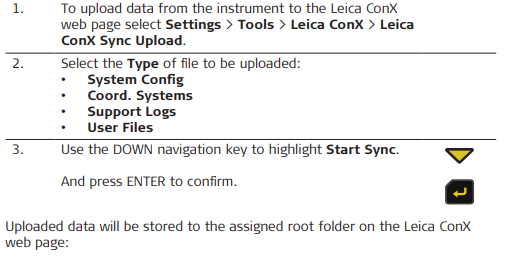
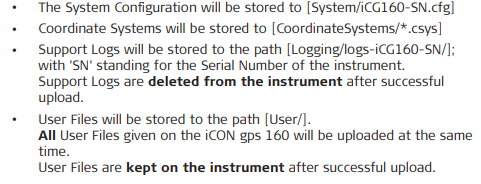
Leica ConX Sync Upload
Leica ConX Firmware
Using Leica ConX step-by-step