
Description
The Charger GKL825 is a multicharger for indoor-use with four battery bays. The charger is used for battery packs which are used in reality capturing equipment. In these applications, and thus for the charger, high reliability and safe operation over the expected product lifetime are of highest importance. The GKL825 offers the following functions:
• Power supply through dedicated AC/DC power adapter
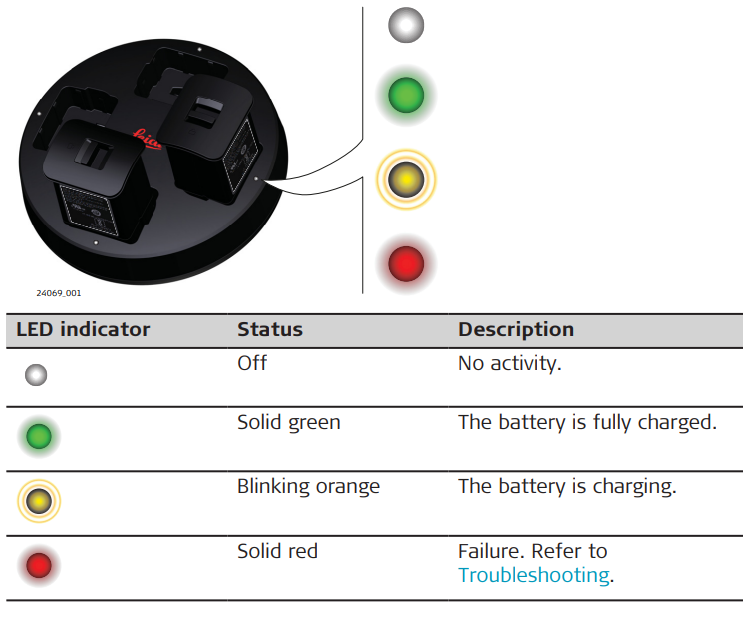
• LED to indicate the status
• Four battery positions
• Charging of one to four battery packs at the same time
• Charging GEB825 batteries for BLK360 SE and BLK360
• Charging GEB821 batteries for BLK2GO
☞ The GKL825 can charge one to four batteries at a time depending on
requested battery charging current.
System components
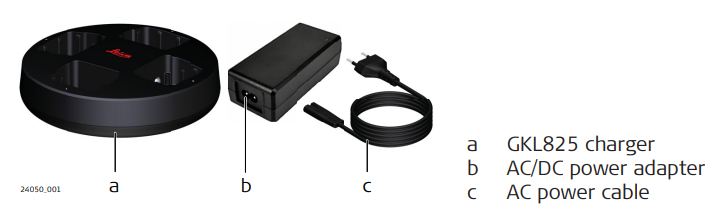
Charger components
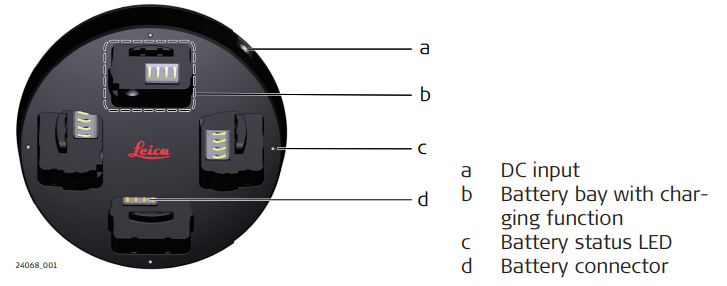
LED indicators
Power supply
☞ The charger GKL825 is only allowed to be operated with its own AC/DC power adapter. The AC/DC power adapter is part of the delivered package.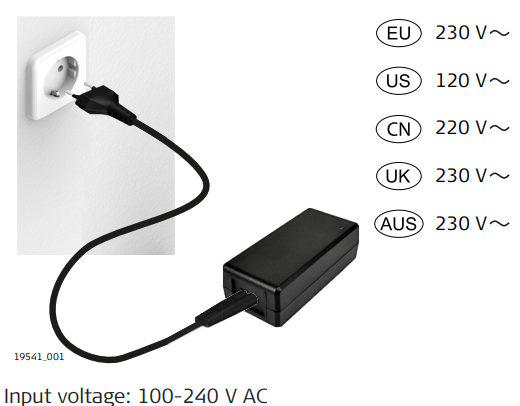
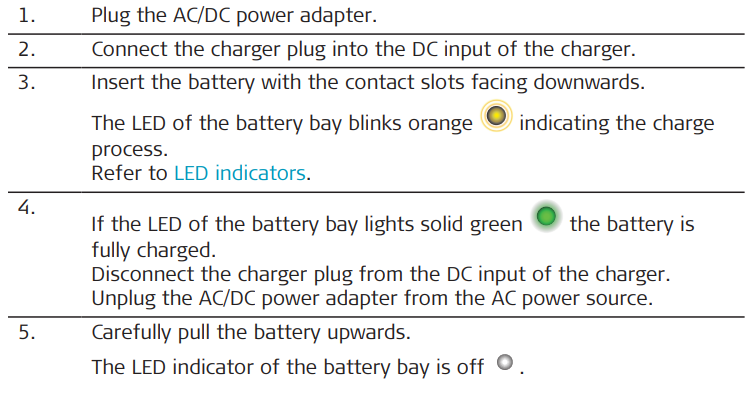
Charge batteries step-by-step
☞ The GKL825 can charge one to four batteries at a time. All batteries are charging in parallel. 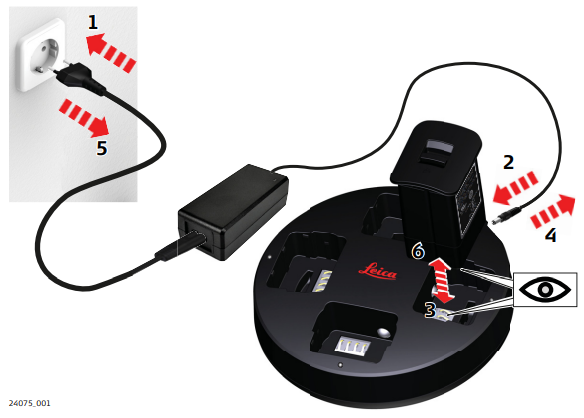
Troubleshooting
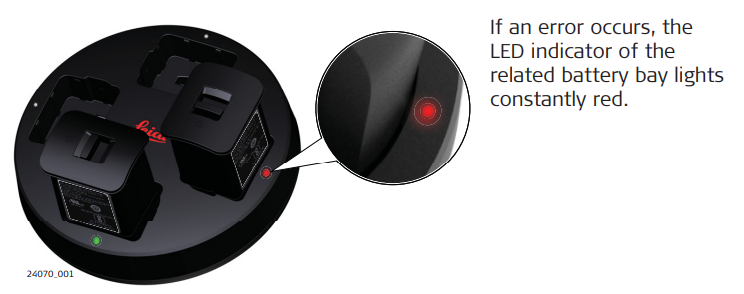 • Remove and insert the battery again. Make sure that the battery is correctly positioned in the battery bay. Disconnect from AC power and reconnect. If the failure persists or reappears from time to time, contact the technical support.
• If the battery is inserted into the charger bay right after usage, it is possible that the LED of the battery bay will light solid red, indicating the battery is too hot to be charged.
• Batteries can still be left in the charger bay, once they cool down, the charging will start. This could take up to 20 minutes.