
• Keep the card dry.
• Use it only within the specified temperature range.
• Do not bend the card.
• Protect the card from direct impacts.
Failure to follow these instructions could result in data loss and/or permanent damage to the card.
Insert and remove the SIM card step-by-step
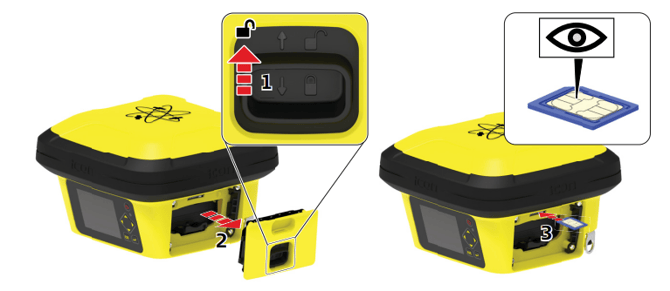
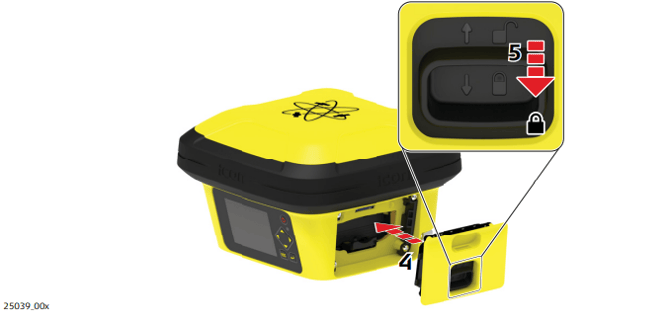
Ensure the instrument is placed on a stable surface.
- Push the slide fastener of the battery compartment in the direction of the arrow with the open-lock symbol. Remove the cover.
- Remove the battery by pushing the retaining clip downwards. This releases the battery from its fixed position. Remove the battery
- Orientate the SIM card as illustrated. Insert the SIM card into the card slot and push it in until it locks in place.
☞ The SIM card needs to be of size "Micro". - Insert the battery by sliding the battery into the battery compartment with the battery contacts facing upwards. Push the battery into the compartment so that it locks into position. Put the cover of the battery compartment back into place.
- Push the slide fastener in the direction of the arrow with the closelock symbol.