Description
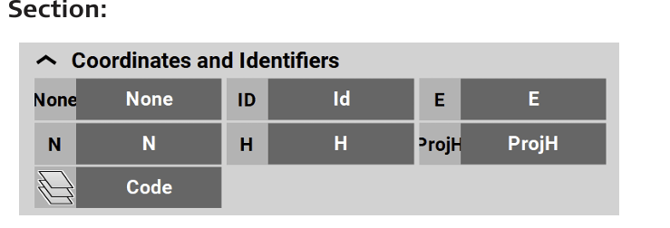
| Type/Icon | Description |
|
Id
|
Point ID of the current point to record. |
|
E
|
East value at the current target position. |
|
N
|
North value at the current target position. |
|
H
|
Height at the current target position. |
|
ProjH
|
A value set during project creation to define a height shift for measured points in the project. |
|
Code
|
Code/layer for the next point to record. |


| Type/Icon |
Description |
|
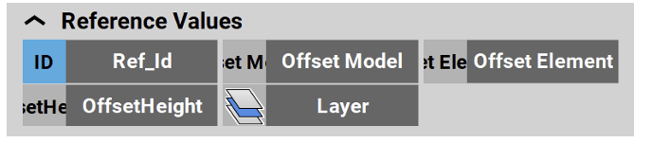
Ref_Id
|
Reference ID of the stakeout/layout element. |
|
Offset Model
|
Indicates a vertical offset of the whole road file. |
|
Offset Element
|
Indicates the horizontal offset of the currently selected road line. |
|
OffsetHeight
|
Indicates the vertical offset of the currently selected road line. |
|
Layer
|
Indicates the layer of the stringline model that is used as a reference. |


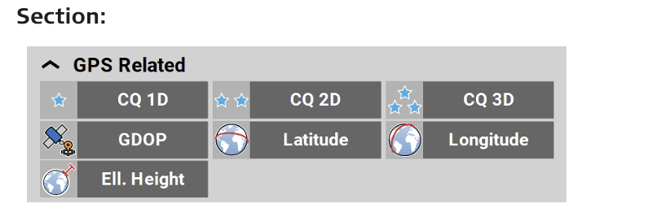
| Type/Icon | Description |
|
CQ 1D
|
Coordinate quality value for the height information at the current position. |
|
CQ 2D
|
Coordinate quality values for the plain information at the current position. |
|
CQ 3D
|
Coordinate quality values for a combination of the height and the plain information at the current position. |
|
GDOP
|
Geometric dilution of precision quality value at the current position. |
|
Latitude
|
Global coordinate to define the north-south position of a point. |
|
Longitude
|
Global coordinate to define the east-west position of a point. |
|
Ell. Height
|
Global coordinate to define the ellipsoidal height of a point. |




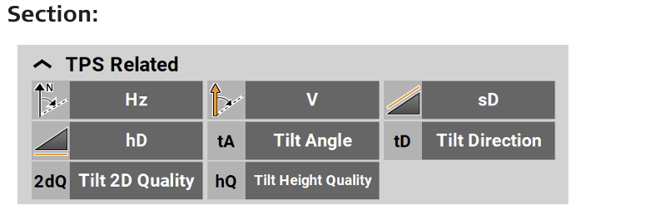
| Type/Icon | Description |
|
Hz
|
Horizontal angle to the current target position. |
|
V
|
Vertical/zenith angle to the current target position. |
|
sD
|
Slope distance to the last point measured. |
|
hD
|
Horizontal distance to the last point measured. |
|
Tilt Angle
|
When using AutoPole: Tilt angle of pole. |
|
Tilt Direction
|
When using AutoPole: Direction in which the pole is tilted, with regard to the compass. |
|
Tilt 2D Quality
|
When using AutoPole: Quality of position measurement. |
|
Tilt Height Quality
|
When using AutoPole: Quality of height measurement. |




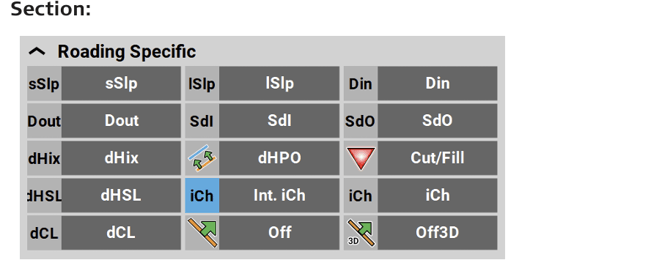
| Type/Icon | Description |
|
sSlp
|
Indicates the cross section slope at the measured point. Negative means sloping down from the road centreline. |
|
lSlp
|
Indicates the long slope at the measured point. Negative means down sloping in the line direction. |
|
Din
|
Inner distance. Indicates the distance from the measured point to the inner edge of the current element (the edge closest to the centreline). |
|
Dout
|
Outer distance. Indicates the distance from the measured point to the outer edge of the element (the edge most far away from the centreline). |
|
SdI
|
Indicates the sloped distance from the measured point to the inner edge of the element. |
|
SdO
|
Indicates the sloped distance from the measured point to the outer edge of the element. |
|
dHix
|
Side distance to the point in the current chainage where current height intersects the theoretic road profile. For example, useful when building up a road bank. |
|
dHPO
|
Perpendicular height difference from the measured position to the slope. A negative value means that the measured position is above the design. |
|
Cut/Fill
|
Cut/Fill value of the last point measured. |


| Type/Icon | Type/Icon |
|
dHSL
|
Indicates the height difference at the measured position to the selected stringline. Negative means above, positive below the stringline. |
|
Int. iCh
|
Indicates the chainage of the measured point on the selected stringline, without station equation. |
|
iCh
|
Indicates the chainage of the measured point on the selected stringline, including the station equation. |
|
dCL
|
Indicates the perpendicular distance from the centreline to the measured point. A negative value means that the point is to the left of the line. |
|
Off
|
Indicates the perpendicular distance from the selected line to the measured point. A negative value means that the point is to the left of the line. |
|
Off3D
|
3D offset value at measured point to the selected line. |



| Type/Icon | Description |
|
Chainage
|
Chainage at the measured point along the selected reference line, including the station equation. With no reference line, the value shows the chainage at the measured point along the selected line. |
|
Int. Chainage
|
Chainage at the measured point along the selected reference line, without station equation. |


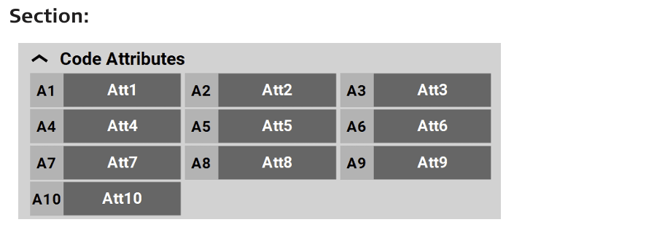
| Type/Icon | Description |
|
Att1 ... Att10
|
Code attributes 1 to 10 of measured point. Up to 25 attributes can be defined, up to 10 attributes can be displayed in the Information bar. |