
Licence-independent Functions
The functions listed below are always available, independent of the licence level.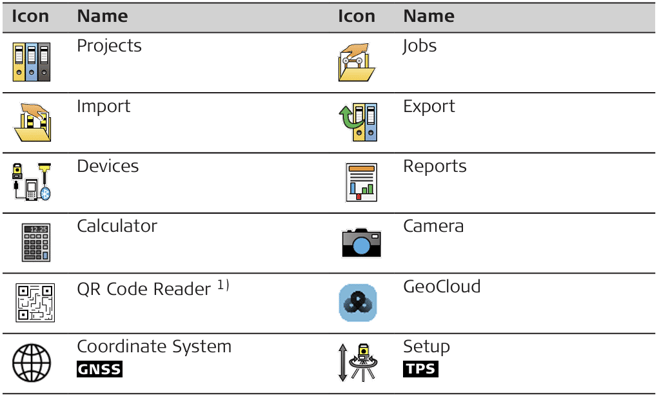
1) The 'QR Code Reader' licence is available with 'iCON site Performance'/'iCON build Core' or higher.
➜ The Coordinate System app becomes available with a connection to a GNSS device.
➜ The Setup app becomes available with a connection to a TPS instrument.
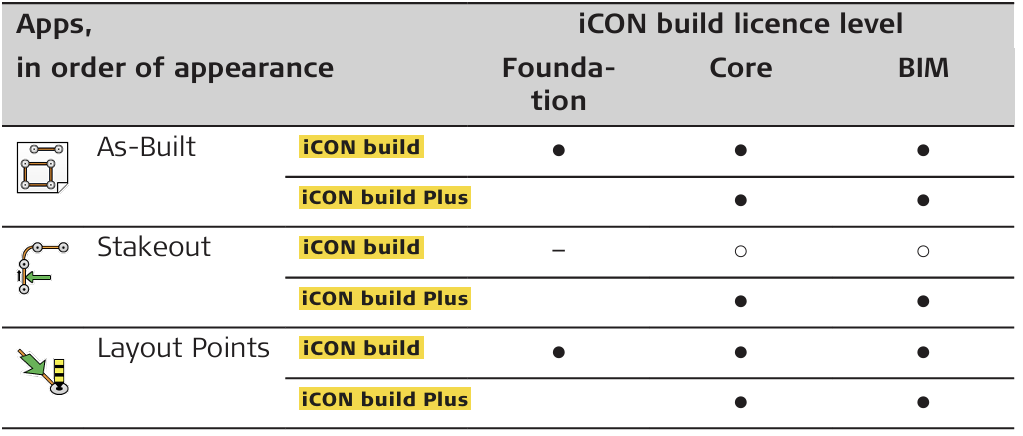
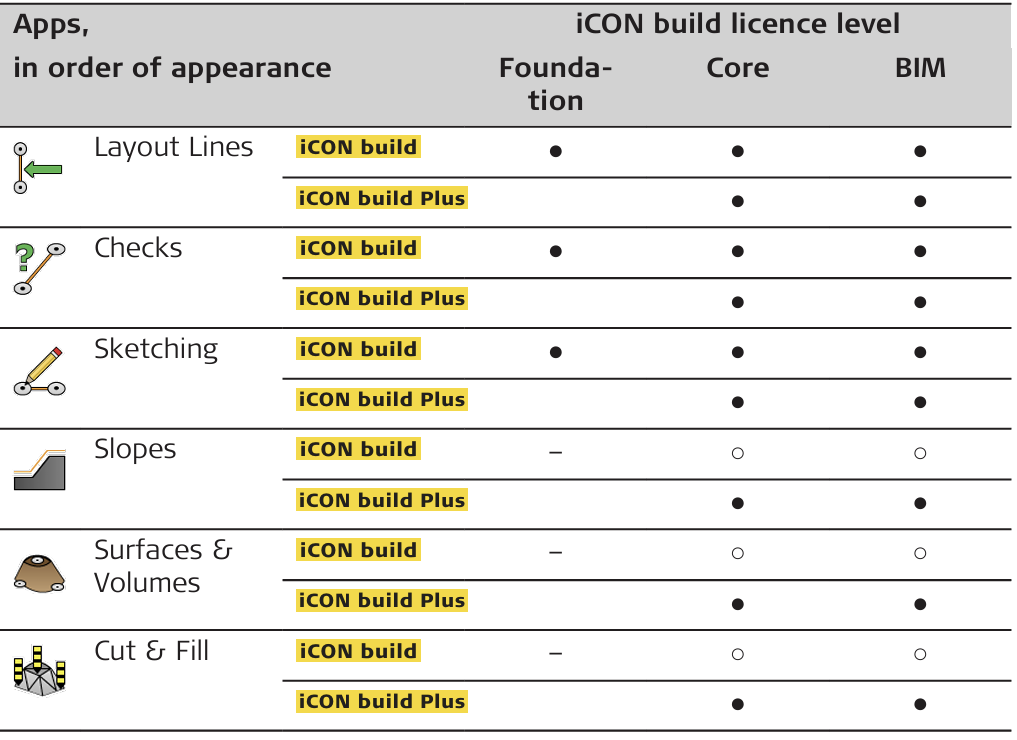
Availability of Apps
Signs and symbols used in the table below are as follows:
● = by default included
○ = optionally available by acquiring an optional licence
– = not available for/with
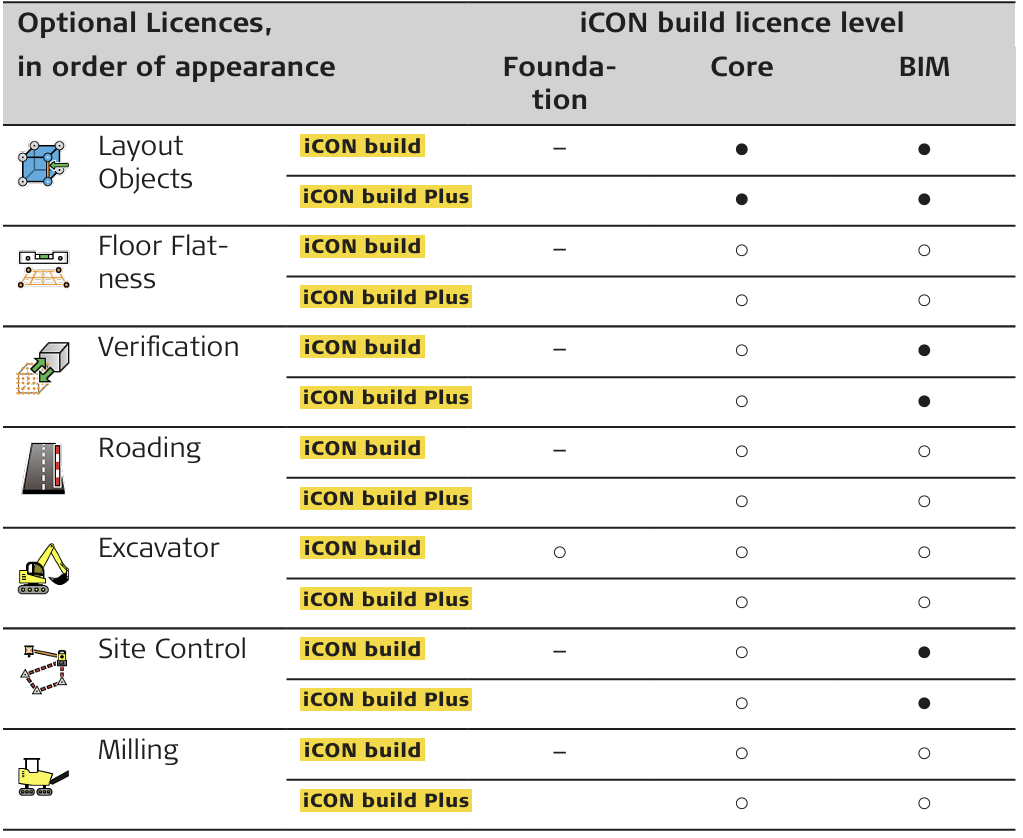
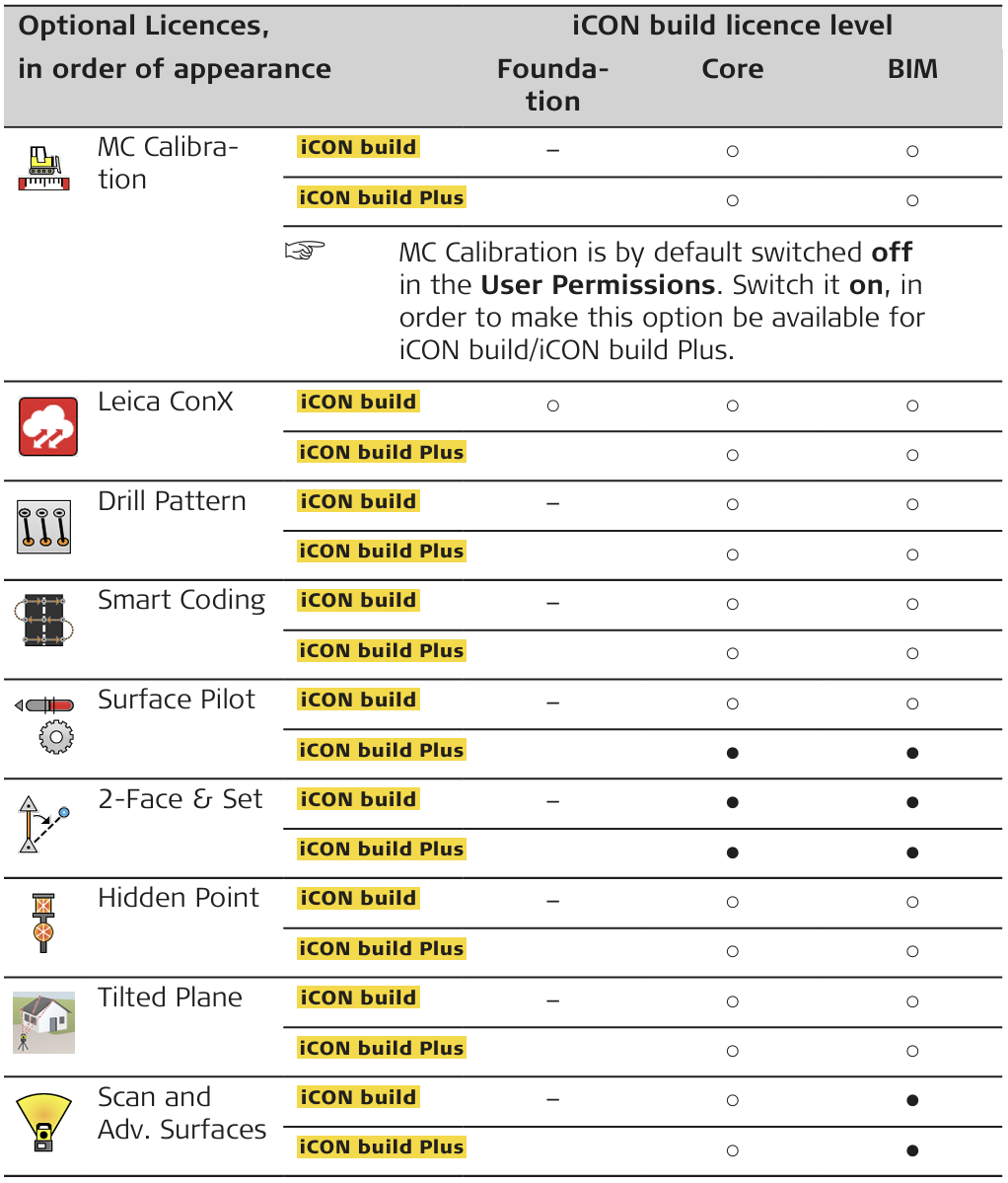
Availability of Optional Licences
Signs and symbols used in the table below are as follows:
● = by default included
○ = optionally available by acquiring an optional licence
– = not available for/with
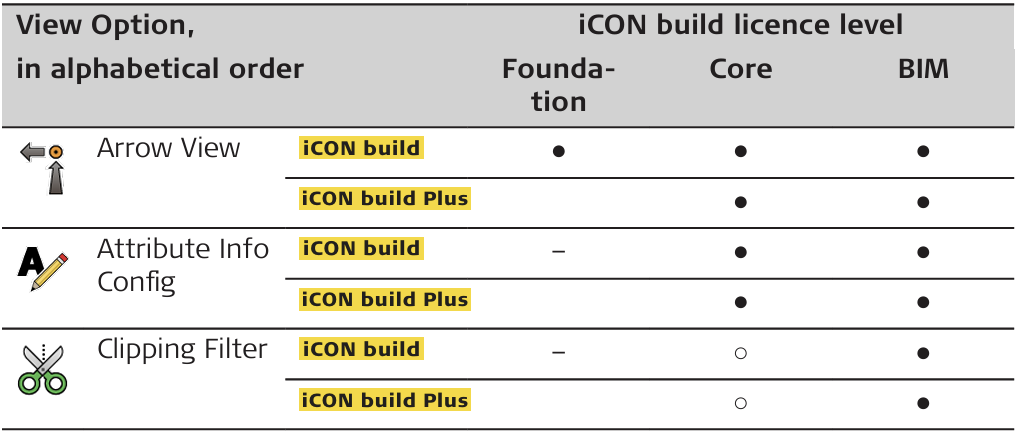
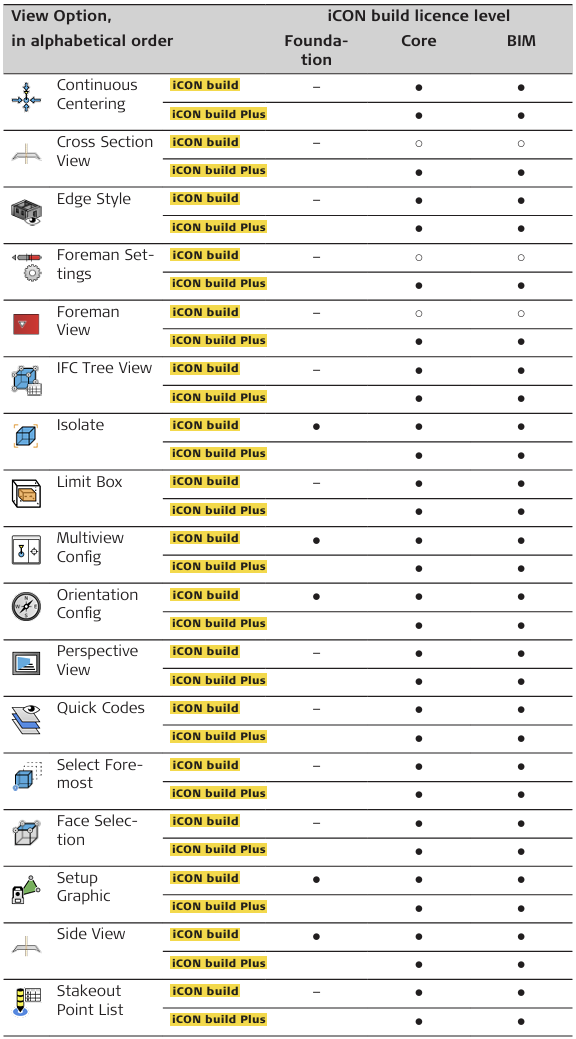
Availability of View Options
Signs and symbols used in the table below are as follows:
● = by default included
○ = optionally available by acquiring an optional licence
– = not available for/with
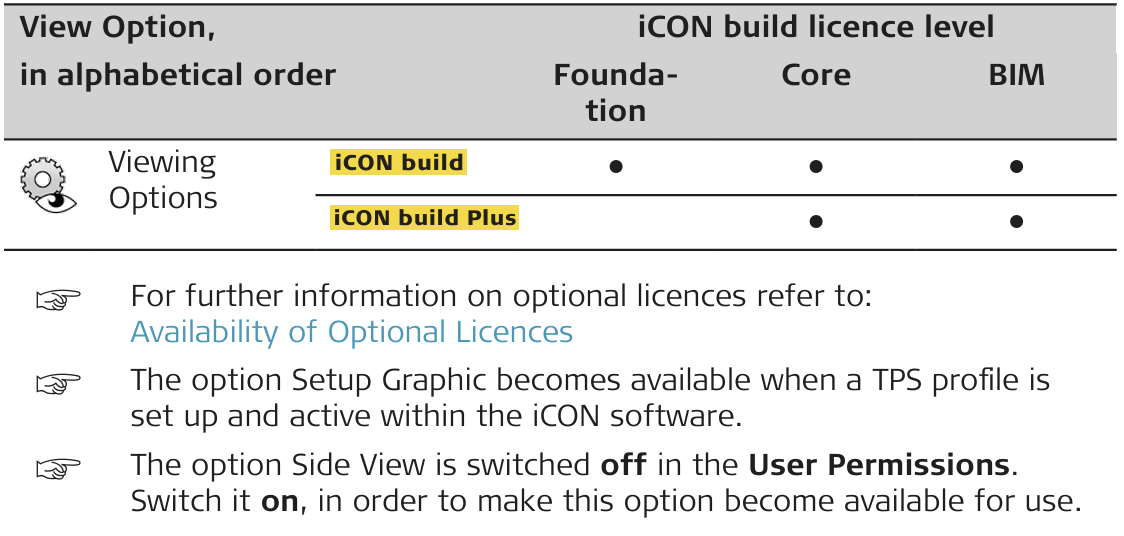
➜ For further information on optional licences refer to:
Availability of Optional Licences
➜ The option Setup Graphic becomes available when a TPS profile is
set up and active within the iCON software.
➜ The option Side View is switched off in the User Permissions. Switch it on, in order to make this option become available for use.