
Insert and remove a USB Memory device step-by-step
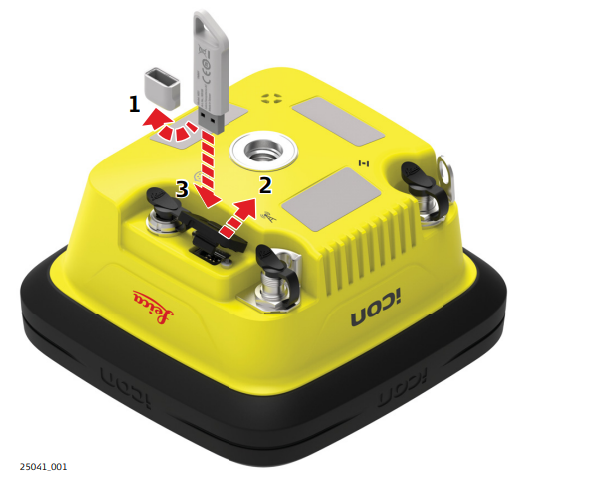
☞ Ensure the instrument is placed on a stable surface.
- Remove the cap from the USB flash drive.
- Detach the USB port cover.
- Slide the USB flash drive firmly into the USB host port.
☞ Take care not to damage the USB flash drive when moving the iCON gps 160 SmartAntenna or when handling around the device.
☞ It is recommended to close the USB port cover when not in use.
Preconditions for using USB Memory devices
• USB Memory devices must be formatted in FAT, FAT32 or exFAT format.
• To import data from a USB Memory device to the iCON gps 160 SmartAntenna, appropriate folders must be created on the USB device and the files placed in the correct folder. Refer to 6.6 Import, Export, or Delete Data for further information.